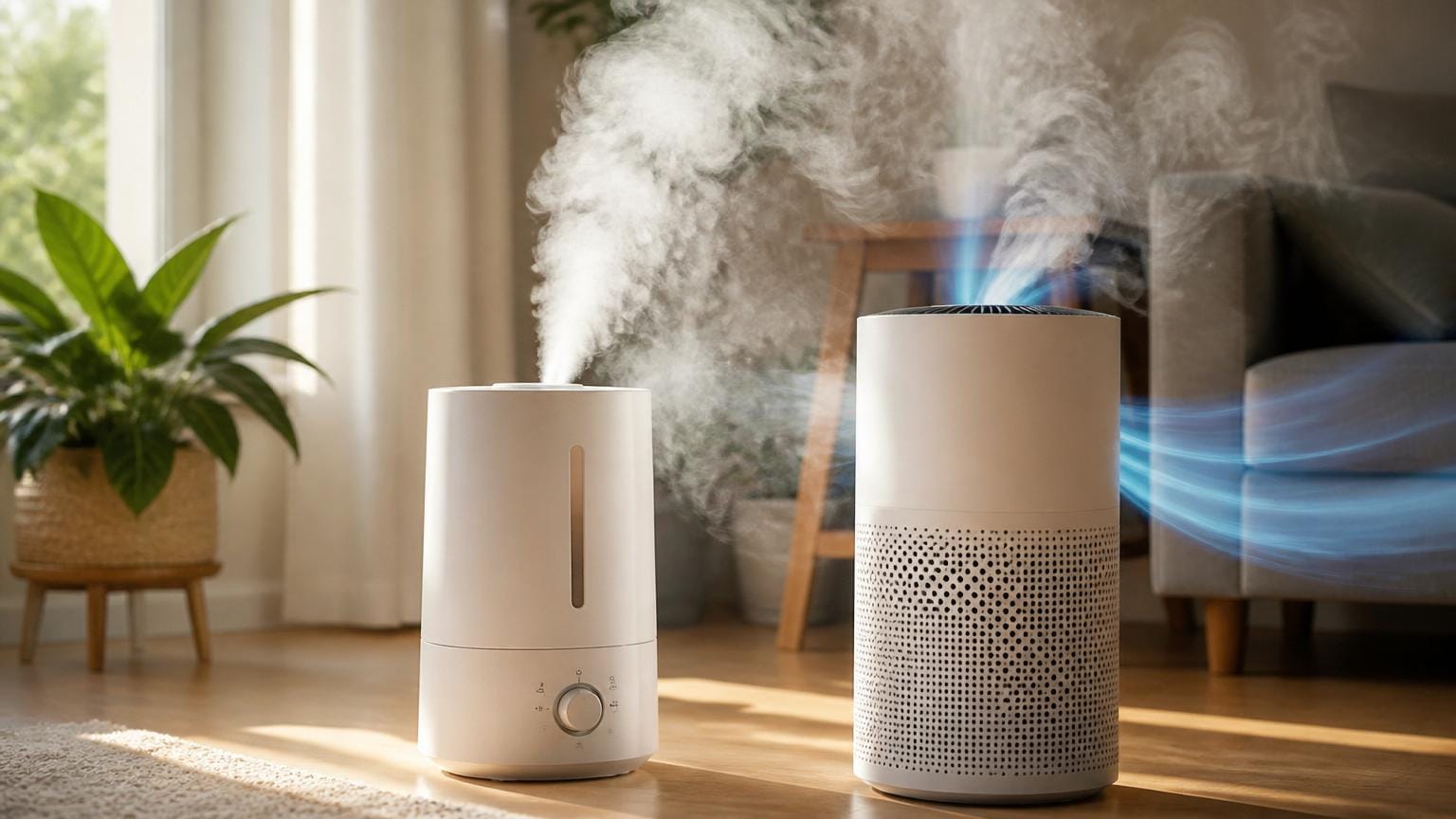
A humidifier can coexist with an air purifier.
Dry air or allergies: is adding a humidifier going to compromise filtration or shorten purifier life? The short answer: yes, it can—but only when humidity is uncontrolled or the humidifier blows mist directly into the purifier. When humidity is kept in a safe band (30–50%), a humidifier improves comfort without degrading HEPA performance. Practical safeguards: position the humidifier a few feet from the purifier intake, use distilled water in ultrasonic units, prefer evaporative or cool‑mist models, monitor humidity with a hygrometer, and check filters more often.
How humidifiers and air purifiers work
How humidifiers add moisture
Humidifiers deliver moisture in three main ways: evaporative units wick water and rely on a fan to evaporate it into air; ultrasonic models vibrate a diaphragm to produce fine liquid aerosols; and steam (warm-mist) devices boil water to release water vapor. Evaporative and steam systems largely produce true vapor or very small droplets, while ultrasonic devices create visible liquid droplets that can carry dissolved minerals or microbes.
How purifiers remove particles and gases
Common purifier technologies work differently: HEPA filters mechanically trap particles down to ~0.3 µm; activated carbon adsorbs gases and VOCs into porous media; electrostatic/ionizing units charge particles so they deposit on plates or surfaces; UV lamps inactivate microbes chemically.
Where moisture or aerosols interfere
- Filter wetting: Liquid droplets from humidifiers can wet HEPA or prefilters, increasing airflow resistance and promoting microbial growth.
- Charge neutralization: High humidity reduces electrostatic forces, lowering ionizers’ and electrostatic precipitators’ collection efficiency.
- Adsorbent blockage: Water vapor and liquid can occupy carbon pores, temporarily reducing VOC adsorption capacity.
- UV shielding: Droplets can shield microbes from UV light or carry viable organisms past treatments.
These physical interactions explain why placement, humidity control, and device choice matter when pairing systems.
Quick evaluation checklist
Quick evaluation checklist
- Room size and layout: Confirm the purifier’s coverage or CADR rating matches the room. Open plans often need higher capacity or multiple devices.
- Humidity target and humidistat: Use a humidistat to control output. Avoid sustained humidity above 60% to reduce filter wetting and mold risk.
- Humidifier output and type: Ultrasonic creates fine droplets and mineral aerosol; evaporative or steam produce less particulate. Expect higher aerosol loads from high-output or ultrasonic units.
- Placement and distance: Keep humidifier and purifier intakes separated (about 1–2 meters) and at different heights so mist does not enter the purifier directly.
- Airflow patterns: Position devices so room air mixes before reaching the purifier; avoid putting them opposite each other where air short-circuits.
- Filter and media sensitivity: Wetting degrades electrostatic and activated-carbon media faster than HEPA. Check the purifier’s maximum recommended humidity.
- CADR versus aerosol load: If humidifier output is high, ensure the purifier’s CADR can handle increased particle/mist load without rapid loading.
- Maintenance and water quality: Use distilled water for ultrasonic units, clean the humidifier regularly, and inspect/replace filters more frequently when both run.
If the humidistat keeps relative humidity under 50% and the purifier’s CADR matches room size, the two devices are less likely to interfere.
Step-by-step setup to run a humidifier and air purifier together
-
1. Measure baseline conditions
Record indoor relative humidity (RH), temperature, and particulate levels (PM2.5) before starting. Use a digital hygrometer and a basic particle monitor or the purifier’s sensors to get an initial baseline.
-
2. Position devices to avoid direct airflow
Place humidifier and air purifier so the humidifier’s mist plume does not aim directly at the purifier intake. Aim for opposite sides of the room or maintain about 1–2 meters of lateral separation so moisture disperses before reaching the filter.
-
3. Pick a conservative RH target
Set target RH to a safe midrange—around 40–50%—to reduce risk of filter wetting and microbial growth while still improving comfort and reducing aerosol persistence. Lower targets may be appropriate for already-humid climates.
-
4. Run the purifier continuously; modulate when needed
Keep the purifier on continuous low-to-medium setting to maintain air turnover; increase fan speed briefly when the humidifier cycles to prevent local moisture buildup. Avoid turning the purifier off while humidification is active.
-
5. Measure and adjust in short loops
Check RH and PM2.5 30–60 minutes after changes; adjust humidifier output or purifier speed in small steps until stability is reached. Log readings to verify reproducible results.
-
6. Inspect filters and maintain schedule
Inspect purifier prefilters and HEPA surfaces weekly for dampness or visible deposits; clean or replace according to manufacturer guidance and use distilled water in humidifiers to reduce mineral aerosol.
Use a small hygrometer or particle sensor placed midway between the humidifier and purifier.
Monitors local conditions. If RH spikes near the purifier when humidifier runs, increase separation or lower output. Also consider running the purifier at higher speed for 10–15 minutes after humidifier cycles.
Maintenance and monitoring
Inspect filters more often
Running both devices raises particle and moisture load. Check the prefilter visually every 1–2 weeks — weekly if relative humidity regularly exceeds 50% or when the humidifier runs continuously. Open prefilters, remove debris, and reseat. Inspect HEPA and activated-carbon modules every 2–3 months and sooner if filters show discoloration or damp spots.
Humidifier cleaning cadence
Empty and refill the reservoir daily; rinse and air-dry when possible. Do a deeper cleaning or descaling weekly (follow manufacturer instructions), or more often with hard water. Use distilled water to reduce mineral deposits that can accelerate filter clogging.
Signals that require action
Watch for:
- Visible dampness or clumping on prefilters or HEPA
- Musty or chemical odors from the purifier
- Reduced airflow or rising fan noise
If any appear, stop the humidifier, dry or replace affected filters, and run the purifier on high until dry. See how humidity affects filter life for deeper guidance.
Check prefilters weekly. If filters smell, darken, or feel damp, pause the humidifier, inspect filters, and dry or replace affected parts promptly.
Quick Q&A: wet noises, condensation, smells, and dark filters
Wet gurgling or sputtering noises?
Usually caused by droplets entering the purifier intake. Move the humidifier about 1–2 m away, lower output, and point mist away. Empty and refill with distilled water if residue exists.
Condensation on the purifier or nearby surfaces?
Indicates local relative humidity is too high or units are too close. Lower the humidifier toward 40–50% RH and increase spacing. Ventilate the room if condensation continues.
Musty or chemical smells?
Often from microbial growth in the humidifier or from saturated carbon stages. Turn off units, clean or disinfect humidifier parts per instructions, and wash or replace prefilters or carbon. Run the purifier on high to clear residual odors.
Filters darken or clog rapidly?
Moisture makes particles clump and coat prefilters. Clean prefilters weekly, lower humidity slightly, and consider humidity-tolerant filters or more spacing between devices.
Compact buying checklist for safe humidifier–purifier co‑use
-
Humidistat and adjustable output
Prefer humidifiers with a built-in humidistat and fine output control so relative humidity can be held in the recommended band (roughly 40–50%). Automatic shutoff or precise target-setting prevents sustained over-humidification that can wet purifier filters.
Look forReliable humidistat and variable output (target RH control)AvoidFixed high-output units or models without humidity control -
Low-mineral or evaporative designs
Choose evaporative wick systems or ultrasonic units that include demineralization (cartridges or distilled-water recommendation) to minimise white dust and mineral aerosol that can foul filters. For selection tips focused on preventing mold and residue, consult guidance to choose a humidifier without encouraging mould.
Look forEvaporative or demineralizing ultrasonic systemsAvoidTap-water-fed ultrasonic models without demineralization -
Accessible prefilter and sealed airflow
Pick air purifiers with an easy-to-access washable prefilter and a true sealed airflow path so particulates and moisture do not bypass or soak internal HEPA/adsorbent media. Regular prefilter inspection and cleaning is easier when access is straightforward.
Look forAccessible washable prefilter; sealed HEPA/case designAvoidHard-to-reach prefilters or loosely sealed housings -
Appropriate CADR and manufacturer humidity guidance
Match purifier CADR to room size and review manufacturer statements about operation in humid environments; some sensors or electronic components may be sensitive to persistent high humidity. Choosing a unit rated for the intended conditions reduces risk of reduced performance or damage.
Look forRoom-appropriate CADR and explicit humidity operating guidanceAvoidUndersized CADR or no humidity-related instructions
Common myths about running humidifiers with purifiers
Moisture can shorten filter life but does not immediately destroy most filters if humidity is controlled and units are placed correctly.
Wet filters lose efficiency and can grow microbes, but damage is gradual and preventable by keeping relative humidity in a safe range and avoiding direct spray onto the purifier.
They address different problems: purifiers remove particles/gases, humidifiers restore moisture; used together they can improve comfort and respiratory symptom management.
Purifiers don’t add moisture; humidifiers don’t remove particles. Combined use is complementary when configured properly.
Ultrasonic humidifiers produce visible mineral or aerosolized droplets that can pollute filters; evaporative units pose less direct wetting risk.
Ultrasonic mist can carry dissolved minerals and microbes; evaporative systems disperse vapor more gradually, reducing filter wetting.
When to separate the devices
Separate or rethink combined use immediately if any of these conditions exist:
- Relative humidity consistently above 55% — higher humidity promotes mold and soaks filters.
- Visible condensation near the purifier or damp filters.
- Strong musty or chemical odors from the purifier after adding humidity.
- Using an ultrasonic humidifier with hard water (visible white dust or mineral aerosol).
- Frequent purifier alarm or reduced airflow indicating clogged or wet media.
If any stop-sign condition appears, run the purifier and humidifier in different rooms or alternate their schedules until the cause is fixed. In persistently damp homes, a dehumidifier or ventilation upgrade may be the better long-term strategy.
Immediate 5-point action checklist
- Check the room RH; aim for 40–50% with a certified hygrometer.
- Move humidifier at least 6–10 feet from the purifier and avoid direct airflow paths.
- Prefer evaporative or steam units over ultrasonic if minerals are a concern; use distilled water.
- Inspect and replace or dry prefilters promptly if damp or discolored.
- Monitor odor, airflow, and purifier indicator lights daily for the first week after pairing.
Final recommendation and immediate steps
- Safe to run both when room RH is held at 40–50%, humidistat controls output, and the humidifier is placed at least a few feet from the purifier.
- Stop humidification immediately if filters become damp, condensation forms on surfaces, persistent musty odors appear, or purifier airflow drops.
- Inspect and clean the purifier prefilter every 1–2 weeks when running both devices; replace main filters per manufacturer guidance if they show moisture damage or staining.
Short answer: Yes—with conditions. Co‑use is acceptable when relative humidity is actively controlled in the 40–50% range, humidifier output is moderate (no visible mist), and placement prevents direct moisture transfer to the purifier. Use distilled water, keep humidifier tanks and wicks clean, and prefer purifiers with accessible prefilters.
Red flags and next steps: Stop or lower humidification if condensation appears on windows or walls, if filters feel damp or darken quickly, if a persistent musty smell develops, or if purifier performance declines. Immediately reduce RH setpoint or switch the humidifier off, dry or replace affected filters, run the purifier on high (or add a dehumidifier) to remove excess moisture, and document conditions (RH, placement, runtime) before restarting. If problems persist, consult device manuals or the manufacturers for model‑specific guidance.