Table of Contents
- 1 Top 3 Recommended Best Smart Plugs
- 2 What Are the Advantages of a Smart Plug?
- 3 Recommended Smart Plugs
- 3.1 Tapo P110 (2-Pack) Smart Plug, WiFi Plug, Energy Monitoring, Electricity Usage Monitor, App Remote Control, Smart Home, Voice…
- 3.2 Amazon Basics Single Outlet Indoor Wi-Fi Smart Plug, works with Alexa only, 4 Pack, White, UK
- 3.3 TCP Smart Plug UK WiFi Socket, Works with Alexa, Google Home, Siri Shortcuts, Voice Control, App Enabled, Set…
- 3.4 Eve Energy (Matter) UK-Smart Plug, Control and Automate Lights/Appliances, Secure and Private, Easy Setup, Future-Proof with Matter and…
- 3.5 EIGHTREE Smart Plug with Energy Monitoring, 13A Smart Plugs that Work with Alexa, Google Home, SmartThings, Wireless Remote…
- 3.6 Tapo P304M Smart Plug Power Strip, Energy Monitoring, MATTER Certified, Surge Protection, Zero-Crossing Detection, Remote Control, Voice Control…
- 3.7 ANTELA Smart Plug with Energy Monitoring, Alexa Voice Control, 2,4GHz WiFi Plug, Smart Life APP Wireless Remote Control…
- 3.8 WiZ Smart Plug WiFi Connected. App Control for Home Indoor Lighting Automation, Livingroom, Bedroom.
How do you choose the best smart plug in 2026 ? Which functions and features must the best smart plug have to suit your needs? Read our guide and make an informed choice.
 Smart or “intelligent” devices appear to be more and more present, if not more necessary, in our lives. This is how humankind is heading in a safe direction: intelligent house or Smart Home.
Just as today we have a smart phone and we could not imagine life without it, in the not too distant future we will no longer imagine a home without the most “smart” facilities.
A seemingly small step towards obtaining a smart home is the purchase and installation of a smart plug or smart electrical outlet.
The many advantages that such an outlet offers will convince you of the need to purchase one. Read below to find out how you choose the best smart plug for your home.
Top 3 Recommended Best Smart Plugs

 Amazon.co.uk
What Are the Advantages of a Smart Plug?
You probably wonder what makes it worth the term “smart”.
 Well, this plug does much more than allow you to connect to a power source.
It gives you the ability to control your devices connected to this outlet remotely via an internet connection and a special phone application. Besides, it also helps you to make important energy savings.
You could find such an outlet very practical in situations where it is necessary to start or stop the appliances from a distance. Suppose you do not remember whether or not you let the air conditioner running or the iron plugged in.
Or maybe you might want to start some appliances beforehand, for example the electric oven to be warmed up when you get home. You may have this level of control with the best intelligent plug.
You will also receive notifications on your phone about any electrical malfunction, and you can also check the level of power consumption for each device on your phone.
How Do You Choose the Best Smart Plug?
Being a product that is gaining more and more popularity every day, it is normal for many models with more or less special features to appear on the market.
Since the price of such a plug can sometimes reach even a few tens of pounds, you can not choose any model. That’s why it’s a good idea to be informed about this intelligent outlet before deciding to buy a particular model.
In order to help you in your choice, we have prepared a shopping guide in which we present what functions and features should the best intelligent plug have to deserve your money.
So, in your choice, take into account the following important issues:
Ecosystem Compatibility
Ecosystem compatibility is a crucial factor to consider when choosing a smart plug.
This refers to how well the smart plug integrates with your existing smart home system.
The main players in the smart home ecosystem are Amazon Alexa, Google Assistant, and Apple HomeKit.
Each of these platforms has its own set of compatible devices, and it’s important to choose a smart plug that works seamlessly with your chosen platform.
- Amazon Alexa: If you’re using Amazon’s Echo devices, you’ll want a smart plug that’s compatible with Alexa. This will allow you to control the smart plug using voice commands, such as “Alexa, turn on the coffee maker.” Many smart plugs, including the Amazon Smart Plug and TP-Link Tapo Mini P100, offer this compatibility.
- Google Assistant: For those who prefer Google’s ecosystem, look for smart plugs that work with Google Assistant. This will allow you to control your devices using voice commands through your Google Home devices or your smartphone. The Meross MSS310 and MSS110 are examples of smart plugs that work well with Google Assistant.
- Apple HomeKit: If you’re an Apple user, you’ll want a smart plug that’s compatible with HomeKit, Apple’s smart home platform. This will allow you to control your smart plug using Siri voice commands or through the Home app on your Apple devices. While there are fewer HomeKit-compatible smart plugs on the market, options do exist.
In addition to these major platforms, some smart plugs also work with other smart home systems like Zigbee or Z-Wave. If you’re using one of these systems, make sure to choose a compatible smart plug.
Energy Monitoring
Energy monitoring is another valuable feature offered by some smart plugs. This feature allows you to track the power usage of the devices plugged into the smart plug. It’s a great tool for becoming more aware of your energy consumption and identifying ways to save energy.
With energy monitoring, you can see how much power a particular appliance uses in a day, a week, or a month. This can be eye-opening, as many appliances use more power than you might think, especially when they’re left on standby. By identifying these energy hogs, you can make changes to reduce your energy consumption.
For example, you might find that your old space heater uses a significant amount of power. With this knowledge, you might choose to use it less or replace it with a more energy-efficient model.
Energy monitoring can also help you save money. By reducing your energy consumption, you can lower your electricity bills. Over time, these savings can add up, making your smart plug a smart investment.
Maximum Rated Power
The maximum rated power of a smart plug is a critical specification to consider. This rating indicates the maximum amount of power that the smart plug can handle. If you connect an appliance that draws more power than the smart plug’s maximum rated power, you risk overheating and damaging the smart plug, the appliance, or both.
The maximum rated power is usually listed in the product specifications and is typically given in watts (W) or amps (A). For example, a smart plug might have a maximum rated power of 1800W or 15A.
Before purchasing a smart plug, you should check the power rating of the appliances you plan to use with it. This information is usually found on the appliance’s label or in its user manual. If the appliance’s power rating is higher than the smart plug’s maximum rated power, you should not use that smart plug with that appliance.
Size
The size of the smart plug is another important factor to consider. Some smart plugs are quite bulky and can obstruct adjacent power outlets when plugged in, limiting their usefulness.
When choosing a smart plug, consider its physical dimensions and the layout of your power outlets. If you have multiple outlets close together, you’ll want a compact smart plug that won’t block other outlets.
Some smart plugs are designed with a slim profile to avoid this issue. For example, the Amazon Smart Plug and the TP-Link Kasa Smart Wi-Fi Plug Mini have compact designs that allow you to use two smart plugs in the same double outlet.
Number of Sockets
The number of sockets on a smart plug determines how many devices you can control with it. A standard smart plug has one socket, allowing you to control one device. However, some smart plugs come with multiple sockets, enabling you to control several devices simultaneously.
A multi-socket smart plug can be particularly useful if you have limited wall sockets or if you want to control several devices in the same area. For example, you might use a multi-socket smart plug to control a lamp, a fan, and a phone charger that are all located near each other.
When choosing a multi-socket smart plug, consider how the sockets are controlled. Some models allow you to control each socket independently, while others only allow you to control all sockets at once. If you want to control each device separately, make sure to choose a smart plug that supports independent control of each socket.
Connectivity Features
For smartphone operation, the smart plug connects to the home Wi-Fi network through a Linux platform.
 This makes it possible for you to access and control it remotely, as long as the home internet is working and your controlled device is connected to the internet.
The aspect you need to be careful about is compatibility. You will not be able to use a smart plug if it’s not compatible with your device.
So, before buying, check the operating systems (IOS, Android, or Windows) with which the smart plug is compatible.
Which Features and Functions Should the Best Smart Plug Have?
Control from any mobile device – once the connection between the plug and the device is completed, you will have absolute control over its functionality, meaning you can turn it on or stop the power supply, and thus control the connected devices.
First check that the smart socket you want can withstand the electrical charge of the devices you want to connect.
Programming – the best smart plug also gives you the ability to program the start and stop time. This feature may be useful if you know you will not be able to connect your phone to the internet to control the outlet directly.
Reports – Better devices have the ability to deliver a report after each on or off turn to make sure the action you ordered on your device has been running successfully.
Overload alert – when you encounter such electricity problems, you will receive a notification on your phone.
Consumption measurement – a feature that lets you check the power consumption of each device in your home. All the data will be saved in an archive, and you will be able to figure out which device consumes the most energy.
You will basically be able to find out where your home consumption problems are and try to solve them now.
Safety for children – we know that children are very attracted to such objects. Especially if it is a new object in the house, if it lights up and if it is said that it is not allowed to walk to it, the child will feel very attracted to this outlet.
The best intelligent smart plug will, however, be safe enough not to endanger the safety of the child if it has access to it.
Warranty
The warranty of a smart plug must be at least 2 years. A good supplier will provide you with this warranty period as well as the possibility to extend this period.
However, as technology is constantly evolving, over 2 years you are likely to want to replace your smart socket with a more advanced one that gives you more control options.
Manufacturers
It’s normal to be interested in the company that produces the best smart socket. Even if we can not call it the best, we can give you some examples of companies that have built up a good reputation among users who have been pleased with the performance of their devices.
Depending on the number of functions that their sockets offer, but also the quality / price ratio, the most recommended brands are: TP-Link, D-Link, Edimax, Panasonic, or Fibaro.
Before buying a product, especially if you buy it online, we recommend that you consult the opinions of other buyers in order to have a fair view of the smart plug that you want to buy.
Recommended Smart Plugs
Taking into account the above criteria and recommendations, studying the current market offer and user reviews, we present you below some models of smart plugs that offer excellent quality/price ratio.
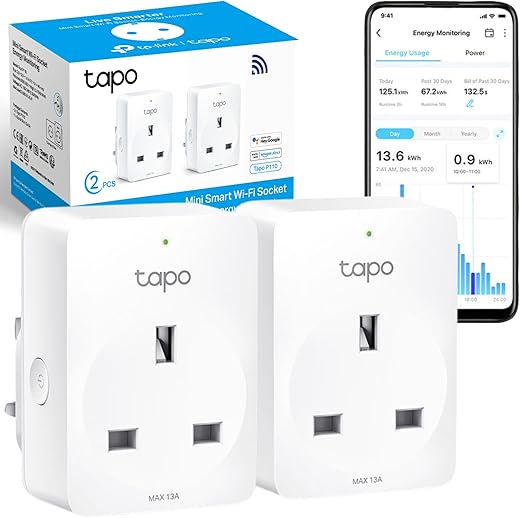
Tapo P110 (2-Pack) Smart Plug, WiFi Plug, Energy Monitoring, Electricity Usage Monitor, App Remote Control, Smart Home, Voice…
- Energy Monitoring - Monitor the average power consumption of the load for one hour via the Tapo App; Tapo P110…
- Compatibility - Works with Amazon Alexa and Google Assistant for Voice Control; use your Alexa plug remotely; whenever and wherever…
- Remote Access -Control devices connected to the smart plug wherever you use the free Tapo app on your phone
- Schedule and Timer - Schedule/Timer the smart plug to automatically power electronics on and off as needed; Tapo P110 smart…
- Device Sharing Remote Control Plug Socket UK- Share management permissions with family members for multiple control
- Avoid plugging in appliances with a motor/compressor higher than 1/6HP, such as an air conditioner, You can check the motor/compressor…
- EV charging is not supported since it typically requires higher power, and its charging current exceeds the rated current of…
- For indoor use only, Output: 13A Max, 2990W
- Manage your smart home - Simply use other Tapo smart home products to better manage your smart home; You can…
Amazon Basics Single Outlet Indoor Wi-Fi Smart Plug, works with Alexa only, 4 Pack, White, UK
- SIMPLE TO SET UP WITH ALEXA: Get started in minutes with multiple setup options, including a zero touch experience when…
- CONTROL FROM ANYWHERE: Schedule plugged-in appliances like lights or fans to turn on/off automatically, or control them remotely via the…
- COMPACT DESIGN: The plug fits perfectly into 1 socket, leaving remaining sockets and outlets free for use; ideal for multiple…
- CUSTOMIZE ROUTINES: Schedule your smart plug to turn on/off either at designated times, with a voice command, or even at…
- NO 3RD PARTY APPS OR HUBS REQUIRED: Set up and manage connected devices directly in the Alexa app; no need…
- SPECIFICATIONS: Works exclusively with the Alexa app and Alexa-enabled devices such as Echo; works with 2.4GHz Wi-Fi only
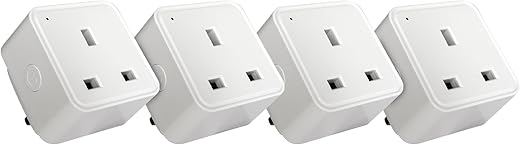
TCP Smart Plug UK WiFi Socket, Works with Alexa, Google Home, Siri Shortcuts, Voice Control, App Enabled, Set…
- Control your appliances remotely via the TCP Smart app or with voice assistants like Alexa, Google Home, and Siri. Prevent…
- Save energy by turning off devices you're not using, even when you're away from home—remote access helps eliminate standby power…
- Compact and efficient design includes a manual switch for quick access, helping you reduce unnecessary usage and lower electricity bills.
- Create energy-saving schedules and timers for lights, heaters, and other appliances—ensuring they run only when needed, not all day.
- Ideal for controlling hard-to-reach sockets like those behind furniture or Christmas lights, making it easier to cut power and save…
- Pack of 4 TCP Smart Plugs

Eve Energy (Matter) UK-Smart Plug, Control and Automate Lights/Appliances, Secure and Private, Easy Setup, Future-Proof with Matter and…
- Switch your lights and appliances on and off using your voice or an app, and control them on the go…
- Automatically switch on and off at a preferred time, and create scenes to make multiple connected appliances work in sync
- Get up and running in a flash with quick & easy set up / TÜV-certified / Cutting-edge Thread network technology…
- Requires iPhone/iPad with latest version of iOS/iPadOS or Android device (8.1 or later) plus a hub of your chosen platform:…
- 100% Privacy: No Eve cloud, no registration, no tracking. Local communication without cloud dependency

EIGHTREE Smart Plug with Energy Monitoring, 13A Smart Plugs that Work with Alexa, Google Home, SmartThings, Wireless Remote…
- 𝑵𝒐𝒕𝒆: This smart plug 𝒐𝒏𝒍𝒚 𝒔𝒖𝒑𝒑𝒐𝒓𝒕𝒔 2.4𝑮𝑯𝒛 𝑾𝒊-𝑭𝒊 networks and is 𝒏𝒐𝒕 𝒄𝒐𝒎𝒑𝒂𝒕𝒊𝒃𝒍? 𝒘𝒊𝒕𝒉 5𝑮𝑯𝒛 𝑾𝒊-𝑭𝒊. To avoid connection issues,…
- 𝑬𝒏𝒆𝒓𝒈𝒚 𝑴𝒐𝒏𝒊𝒕𝒐𝒓𝒊𝒏𝒈: This smart plug supports energy monitoring, allowing real-time tracking of appliance power consumption via the app. It provides…
- 𝑹𝒆𝒎𝒐𝒕𝒆 𝑪𝒐𝒏𝒕𝒓𝒐𝒍: With the Smart Life app, you can remotely control your Wi-Fi smart plug from anywhere at any time.…
- 𝑽𝒐𝒊𝒄𝒆 𝑪𝒐𝒏𝒕𝒓𝒐𝒍: Smart plugs that work with Alexa & Google Assistant. Control your environment effortlessly with a simple voice command:…
- 𝑺𝒄𝒉𝒆𝒅𝒖𝒍𝒆 & 𝑻𝒊𝒎𝒆𝒓 𝑭𝒖𝒏𝒄𝒕𝒊𝒐𝒏: This Alexa-compatible smart timer plug allows for customized schedules, enabling automatic control of devices based on…

Tapo P304M Smart Plug Power Strip, Energy Monitoring, MATTER Certified, Surge Protection, Zero-Crossing Detection, Remote Control, Voice Control…
- 𝗠𝗮𝘁𝘁𝗲𝗿 𝗖𝗲𝗿𝘁𝗶𝗳𝗶𝗲𝗱 𝗦𝗺𝗮𝗿𝘁 𝗣𝗹𝘂𝗴 𝗘𝘅𝘁𝗲𝗻𝘀𝗶𝗼𝗻 𝗟𝗲𝗮𝗱 – Integrate Matter-certified Tapo devices with other Matter end products into your preferred ecosystem;…
- 𝗘𝗻𝗲𝗿𝗴𝘆 𝗠𝗼𝗻𝗶𝘁𝗼𝗿𝗶𝗻𝗴 & 𝗘𝘀𝘁𝗶𝗺𝗮𝘁𝗲 𝘆𝗼𝘂𝗿 𝗕𝗶𝗹𝗹𝘀 - Set your electricity rate to estimate your energy bills, offers more comprehensive insights…
- 𝗩𝗼𝗶𝗰𝗲 𝗖𝗼𝗻𝘁𝗿𝗼𝗹 – Use simple voice commands with Amazon Alexa, Apple Siri, or Google Assistant to conveniently control connected devices…
- 𝗥𝗲𝗺𝗼𝘁𝗲 𝗖𝗼𝗻𝘁𝗿𝗼𝗹 – Instantly turn connected devices on/off from wherever you are through the Tapo app with the Tapo smart…
- 𝗦𝗰𝗵𝗲𝗱𝘂𝗹𝗲 & 𝗧𝗶𝗺𝗲𝗿 – Preset a schedule to automatically manage devices with your remote control plug socket uk; Set up…
- 𝗔𝘄𝗮𝘆 𝗠𝗼𝗱𝗲 – Automatically turns devices on and off at different times to give the appearance that someone is home;…
- 𝗔𝗻𝘁𝗶-𝗢𝘃𝗲𝗿𝗰𝗵𝗮𝗿𝗴𝗶𝗻𝗴 𝗙𝗲𝗮𝘁𝘂𝗿𝗲 – Prevent your phone from being overcharged; When the phone is fully charged, the current is automatically switched…
- 𝗦𝘂𝗿𝗴𝗲 𝗣𝗿𝗼𝘁𝗲𝗰𝘁𝗶𝗼𝗻 - Max 13A, 3250W, 1HP Motor – Surge protection shields sensitive electronics and appliances from sudden power surges…
- 𝙕𝙚𝙧𝙤-𝘾𝙧𝙤𝙨𝙨𝙞𝙣𝙜 𝘿𝙚𝙩𝙚𝙘𝙩𝙞𝙤𝙣 – Addresses relay contact welding, a key issue in smart plug failures, improves product reliability and load capacity;…
- 𝗔𝘂𝘁𝗼-𝗢𝗳𝗳 – Automatically turns off a connected device after the device is left on for a set time with the…
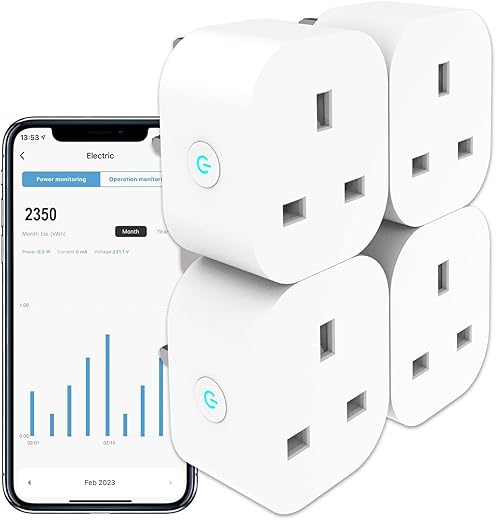
ANTELA Smart Plug with Energy Monitoring, Alexa Voice Control, 2,4GHz WiFi Plug, Smart Life APP Wireless Remote Control…
- 【ENERGY MONITOR】This smart socket can show how much energy is used on the connected app. You can view the energy…
- 【SCHEDULE AND TIMER】With the mobile app, you can easily set up schedules to turn on/off at specific time, saving time…
- 【VOICE CONTROL】The ANTELA wifi plug can be connected to Alexa and Google Home. It applies to almost all household appliances.…
- 【REMOTE CONTROL】Download Smart Life APP, connect your smart socket via 2.4GHz WiFi. No hub or paid subscription service required. You…
- 【GROUP CONTROL】Enjoy the convenience of group control with our smart wifi plug. You can easily turn on/off multiple devices at…

WiZ Smart Plug WiFi Connected. App Control for Home Indoor Lighting Automation, Livingroom, Bedroom.
- Easy plug and play - WiZ works with your existing Wi-Fi router, no additional gateway is needed. Simply put in…
- App Control - Control your WiZ lights wherever you are with smartphone. No need to worry if you've left your…
- Energy Monitoring - The WiZ app keeps records of the energy consumption of your lights. View your weekly or daily…
- Works even without Wi-Fi - The sensor communicates directly to the WiZ lights. It works even when your Wi-Fi is…
- Control regular lamps, decorative lights, fans, your coffee machine and more. Use WiZ to control devices that only need their…