How do you choose the best laptop cooling pad in 2026? What functions and features should the best laptop cooling pad have to fit your needs? Read our article to find out.
Why Buy a Laptop Cooling Pad?
Most laptops are used for hours, either for games, work, homework or social networks. We all have a lot of time we do not recognize we spend on Facebook or Twitter. In this way, our laptops become demanded day by day and it is hard not to overheat them.


Fortunately, there is a simple and easy way to prevent your favourite laptop from overheating: the laptop cooling pad, a special support with extra cooling systems that will keep your favourite gadget cool.
Laptop cooling pads are similar to a mobile table but are smaller, lighter and more portable. Most have a thickness of up to 5 centimetres and have a slight slope to provide comfort in use. They can be used easily in the lap or directly on the table or desk.
The best laptop cooling pads use one or two fans to speed up hot air circulation and keep your laptop cool and functional.
Top 3 Recommended Best Laptop Cooling Pads




Best Laptop Cooling Pad: What to Look for
The main purpose of a laptop cooling pad is to prevent the heating and keep your portable computer running in optimal conditions. There are some important aspects of a laptop cooling pad that you need to keep in mind when looking for the best one for you.
Compatibility with Your Laptop
In the world of laptop cooling pads, one size doesn’t necessarily fit all.


Laptop Size
Laptop cooling pads are designed to accommodate laptops of various sizes, typically ranging from 12 to 17 inches. It’s crucial to check the product specifications to ensure the cooling pad matches the size of your laptop. A cooling pad that is too small may not provide adequate cooling, particularly if the fans are not aligned with your laptop’s vents. Conversely, a cooling pad that is too large can be unwieldy and hard to carry around, negating the benefits of portability that laptops offer.
Portability
When considering the compatibility of the cooling pad with your laptop, it’s also essential to think about your usage scenario. If you regularly carry your laptop from place to place, you’ll want a cooling pad that is similarly portable. Lightweight designs made from durable yet light materials can significantly aid portability. Some models also feature a slim profile, enabling them to easily slip into a laptop bag alongside your laptop.
Laptop’s Ventilation Layout
The effectiveness of a cooling pad is significantly influenced by your laptop’s ventilation layout. If the cooling pad’s fans don’t line up with your laptop’s vents, it may not provide the optimum cooling performance. For instance, if your laptop has vents on its sides rather than the bottom, a traditional cooling pad might not work effectively. In such cases, consider a cooling pad designed to direct air towards the sides.
Weight Support
Although often overlooked, the weight support of a laptop cooling pad is a critical compatibility factor. If your laptop is particularly heavy, ensure the cooling pad is designed to support its weight. Lightweight cooling pads designed for ultra-portable laptops may not offer adequate structural integrity for larger, heavier laptops, leading to stability issues.
Power Requirements
Most laptop cooling pads are powered via USB, drawing power directly from your laptop. This is usually convenient, as it doesn’t require an additional power outlet. However, if your laptop has limited USB ports or a low-capacity battery, using one of the ports (and battery power) to power the cooling pad might not be ideal. In such cases, a cooling pad with a pass-through USB port can be a beneficial feature, as it allows you to use the port for other devices while the cooling pad is plugged in.
In conclusion, ensuring the cooling pad’s compatibility with your laptop involves several factors, from the physical size and weight of your laptop to its vent layout and power requirements. By considering all these aspects, you can choose a cooling pad that works seamlessly with your laptop, providing effective cooling without disrupting your laptop usage.
Number and Size of Fans and Noise Level
In the arena of laptop cooling pads, the function and efficacy of the device revolve significantly around the fans – the core components that facilitate the cooling process. Let’s delve deeper into the role of the number and size of fans and their correlation with the noise level.
Number of Fans
Laptop cooling pads come equipped with different numbers of fans, ranging from a single fan to as many as six.


The quantity of fans on a cooling pad has a substantial effect on how the pad distributes airflow. A pad with a single fan generally creates a concentrated airflow, which can be quite efficient if the fan is aligned correctly with your laptop’s vents.
On the other hand, multiple fans usually cover a broader area, creating an even cooling effect across the entire base of your laptop. This can be beneficial for laptops that tend to heat up across the bottom surface or have multiple hotspots. However, more fans don’t necessarily equate to superior cooling. The size, speed, and quality of the fans also play an integral role in their efficiency.
Size of Fans
The size of the fans in a cooling pad can greatly influence the volume of air they can move, thus affecting the pad’s overall cooling performance. Larger fans generally move more air, and they can often do so at lower speeds than smaller fans.
While a cooling pad with one large fan may provide effective cooling, especially for larger laptops, a cooling pad with several smaller fans might be more suitable for laptops with multiple heat sources as they can distribute the cooling effect across a wider area.
Fan Speed
Fan speed is another critical factor in a cooling pad’s performance. Higher speeds typically result in increased airflow, which can help cool down a hot laptop more quickly. However, faster fan speeds often result in higher noise levels, which brings us to our next point.
Noise Level
The relationship between the number, size, and speed of fans and the noise level is quite intricate. Generally, larger fans can run at lower speeds to achieve the same airflow as smaller fans, potentially leading to quieter operation. However, the quality of the fans and the design of the cooling pad also influence the noise level.
Noise level is a crucial aspect to consider, as a noisy cooling pad can be distracting, especially if you’re using your laptop in a quiet environment. When considering the noise level, it’s worth looking at the cooling pad’s specifications or checking user reviews for any mention of noise.
Some cooling pads feature adjustable fan speeds, which allow you to balance cooling performance with noise level according to your needs. Furthermore, certain high-quality cooling pads incorporate noise suppression technology or high-quality fans designed to minimise noise, providing efficient cooling while keeping distractions to a minimum.
In conclusion, the number, size, and speed of fans, along with the noise level, are crucial factors when choosing a laptop cooling pad. By understanding how these aspects influence the cooling pad’s performance and noise level, you can make a more informed decision, choosing a cooling pad that offers efficient cooling while suiting your noise tolerance.
Adjustable Speeds
The capacity to adjust the speed of the fans in your laptop cooling pad is a valuable feature that enhances flexibility and optimises cooling. With adjustable speeds, you can increase the fan speed when performing high-intensity tasks that generate more heat, such as gaming or video editing, and reduce the speed during standard usage, like browsing the web or document editing.
This feature not only allows for more efficient cooling but also helps manage noise levels. You can keep the noise down when the environment requires quiet, and ramp up the speed, tolerating a bit more noise, when your laptop needs extra cooling. When looking for adjustable speeds, consider whether the cooling pad allows for individual fan speed control, especially if it has multiple fans. This could allow for even more customised cooling strategies.
Ergonomics and Design of the Best Laptop Cooling Pad
The ergonomics and design of a laptop cooling pad are just as important as its cooling performance. After all, a cooling pad that’s effective but uncomfortable to use won’t provide a satisfactory experience.

The design and material of the cooling pad also matter. A cooling pad with a sturdy construction and non-slip surface will hold your laptop securely, preventing any sliding or instability. Some models even include padded or contoured rests for your wrists, providing extra comfort during use.
Moreover, the aesthetic design of the cooling pad can contribute to your overall satisfaction. Many cooling pads come in a variety of styles and colours, so consider whether a particular design appeals to you and matches your personal style or setup.
Power Source of the Best Laptop Cooling Pad
The power source of a cooling pad plays a vital role in its functionality and convenience. Most laptop cooling pads are powered by USB, allowing them to run directly off your laptop. While this is typically handy as it doesn’t require an extra power outlet, it does mean they’ll use your laptop’s battery, which can be a drawback if you’re running on battery power.
A cooling pad with a pass-through USB port can be a beneficial feature in this regard. It allows you to plug another device into the pad itself, essentially giving you back the USB port that the cooling pad occupies. This is particularly useful if your laptop has a limited number of USB ports.
Extra Features of the Best Laptop Cooling Pad
While the fundamental function of a laptop cooling pad is to reduce heat, manufacturers often incorporate additional features that can enhance your laptop usage experience. These “extra features” can range from elements that improve functionality and convenience to aesthetic upgrades that make the device more appealing. Let’s delve deeper into these added benefits and how they can influence your choice of a laptop cooling pad.
Built-in Speakers
Some high-end laptop cooling pads come equipped with built-in speakers, which can be a considerable advantage, particularly if your laptop’s own speakers aren’t up to par. The quality of these speakers can vary, so be sure to check customer reviews if this is a feature you’re interested in. Keep in mind that cooling pads with built-in speakers will likely cost more than basic models.
RGB Lighting
A common feature in gaming-oriented cooling pads is RGB (Red, Green, Blue) lighting. This feature is mainly for aesthetic appeal, allowing users to customise the look of their cooling pad with various colours and effects. While this won’t improve the cooling performance of the pad, it can enhance the overall look of your gaming or work setup. If you’re interested in a cooling pad with RGB lighting, ensure that the lights are well implemented and won’t distract from your laptop screen.
Extra USB Ports
Since most cooling pads use one of your laptop’s USB ports for power, some models feature additional USB ports to offset the one that’s taken up. This can be a significant benefit if your laptop has a limited number of USB ports. Extra USB ports allow you to connect more peripherals, such as a mouse, keyboard, or external hard drive, without needing a separate USB hub.
Adjustable Fan Positions
While not as common, some cooling pads offer adjustable fan positions. This feature can be particularly useful if your laptop has specific hotspots that need more cooling.


Temperature Indicators
Certain high-end cooling pads feature temperature indicators or displays that provide real-time information about the temperature of your laptop. This can be a useful feature to help you monitor the effectiveness of your cooling pad and adjust the fan speed as necessary.
Integrated Cable Management
Some cooling pads come with integrated cable management systems. These are usually grooves or clips that help keep the USB cable tidy when it’s not in use. This might seem like a minor feature, but it can help prevent cable tangling and make it easier to transport the cooling pad without damaging the cable.
Customer Reviews
When shopping for a laptop cooling pad, it’s important not to overlook customer reviews. These provide insights into the real-world performance of the product, and any common issues or drawbacks that aren’t covered in the product description.
Look for products with a high average rating and read through the reviews to get a sense of how well the cooling pad works in practice.
Warranty and Customer Service
Finally, consider the warranty and customer service of the manufacturer. A long warranty period indicates the manufacturer’s confidence in their product and gives you peace of mind that you’ll be covered if anything goes wrong.
Good customer service can also be a lifesaver if you have questions or issues with the product.
Conclusion
Remember to take your time when selecting a laptop cooling pad. Check different models, compare their features, read reviews, and ensure the cooling pad is compatible with your laptop. Don’t rush the process; this is a device that can prolong your laptop’s lifespan and enhance your experience significantly.
And always remember, the most expensive model isn’t necessarily the best one for you. Every laptop is different, with unique cooling requirements. Therefore, the best cooling pad for you is the one that fits your laptop and meets your personal needs and preferences most closely.
In conclusion, keeping your laptop cool is paramount for its performance and lifespan. By carefully choosing a laptop cooling pad, you can protect your investment, improve your laptop’s performance, and enhance your overall experience. Choose wisely, and your laptop will thank you.
I hope this guide has provided you with valuable insight to make an informed decision when choosing a laptop cooling pad. Here’s to a cooler, more efficient laptop experience!
Best Laptop Cooling Pad: Recommendations
Taking into account the above recommendations and buyers’ opinions we recommend below some laptop cooling pads that offer excellent quality/price ratio.


havit Cooling Pad 12"-17" Laptop air Cooler with 3 Ultra Quiet Fans, Ergonomic Comfort Notebook Cooler with 2…
- [Ultra-Portable]: Slim, portable, and light weight allowing you to protect your investment wherever you go
- [Ergonomic Comfort]: Doubles as an ergonomic stand with two adjustable height settings
- [Optimized for Laptop Carrying]: The metal mesh provides your laptop with a stable laptop carrying surface.
- [Ultra-Quiet Fans]: Three ultra-quiet fans create a noise-free environment for you
- [Extra Usb Ports]: Extra USB port and power switch design allows for connecting more USB devices.Warm Tips: The packaged cable…


TopMate C12 Laptop Cooling Pad RGB Gaming Notebook Cooler for Desk and Lap Use, Laptop Fan Stand 8…
- 【Surround RGB lights】The laptop chill mat has RGB light strips on all sides. After the laptop cooling stand is powered…
- 【6 High Speed and Silent Fan】 The laptop cooling pad is composed of 3 small fans and 3 large fans.…
- 【8 Heights Adjustment + Mobile Phone Stand】Gamer laptop cooler provide 8 kinds of adjustable height to choose. You can adjust…
- 【Desk and Lap Use】The laptop fan cooling pad has a big size base. The oversized base can increase the force-bearing…
- 【Broad Compatibility】The computer cooling pad is compatible with 10 11 12 13 14 15 15.6 16 17 17.3 inch laptops.…
- 【2 Year Warranty】We provides 2 year warranty service. If there is any quality problems with the product, please feel free…

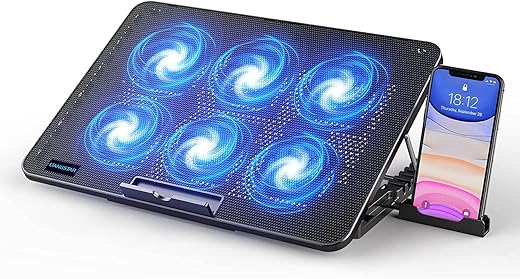
LIANGSTAR Laptop Cooling Pad, Laptop Cooler with 6 Quiet Fans at 2100RPM, Laptop Stand with Phone Holder, 7…
- 【6 Ultra Quiet Fan & Adjust Fan Wind Speed】This special laptop cooler with 6 fans. Our laptop cooling pad 6…
- 【Unique 7 Height Adjustable & Phone Holder Design】 The cooling pad have 7 height for you select, free adjust suit…
- 【2 USB Port & Large Metal Mesh】 Our laptop cooling pad is quipped with 2 USB ports, one port to…
- 【Ergonomic Design & Non-Slip Baffle】Laptop cooling pad with ergonomic design is comfortable in all-day using. Laptop cooler stand can be…
- 【Wide Application & Support】Our laptop cooling pad suitable almost all 12”- 17.3”notebook, such as Dell, MacBook Pro, Alienware, ThinkPad, Lenovo,…

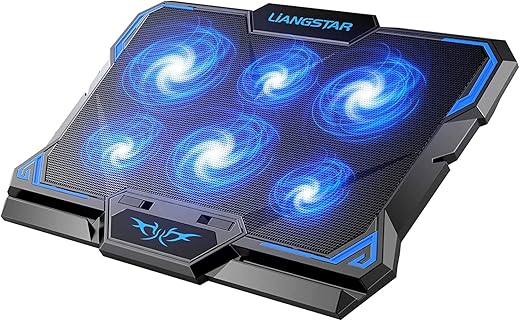
Laptop Cooling Pad, Laptop Cooler with 6 Quiet Led Fans for 15.6-17 Inch Laptop Cooling Fan Stand,Switch Control…
- ❄【6 Super Cooling & Quiet Fans】 This laptop cooling pad with 6 quiet cooling fans, which can quickly cool down…
- ❄【Unique Game Design & Dual USB Ports】We have added decorative strips and colors to the product to increase the game…
- ❄【Adjust Fan Speed & Cooling Pad Height】Two separate switches control 6 fans speed from 0 to max freely, turn on…
- ❄【Material Upgrade & Function Enhancement】The metal baking paint mesh surface and the thermosetting plastic bottom shell have a better texture…
- ❄【Wide Application & Support】Our gaming laptop cooling pad is suitable for almost all 12"-17.3" notebooks, such as Dell, MacBook Pro,…


KLIM Wind Laptop Cooling Pad - More than 500 000 units sold - New Version - The Most…
- ✅ AN INVESTMENT. This laptop cooler is an investment => no component overheating => maximises the life expectancy of your…
- ✅ LARGE MODEL. Covers the following sizes: 11 11,3 12 13 14 15 15,6 16 inches. Compatible with the following…
- ✅ THE MOST POWERFUL ON THE MARKET. With 4 quiet fans spinning up to 1200 rotations per minute. It's a…
- ✅ THOUGHT OUT DESIGN + BUILT TO LAST. KLIM Wind is a level above any other laptop cooling stand in…
- ✅ MULTIFUNCTIONAL. The KLIM Wind has 2 USB ports in order to leave you with one free port. It will…

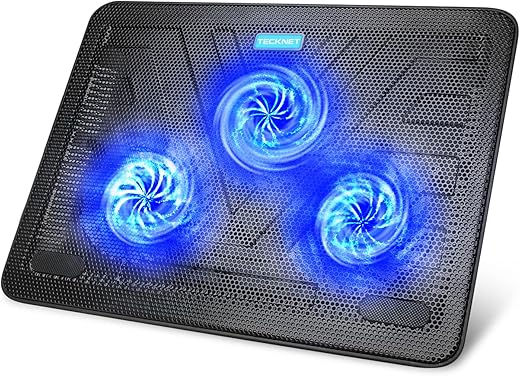
TECKNET Cooling Pad 12"-17" Laptop Cooler with 3 Ultra Quiet Fans at 1200RPM, Ergonomic Comfort Notebook Cooling Pad…
- 3 Ultra-Quiet Fans Design: Our TECKNET laptop cooler with 3 ultra-quiet fans up to 1200 rotations per minute, which can…
- Laptop Fans With 2 USB Ports: One USB port can power the laptop cooler, the other one can be connected…
- Ergonomic Design & Large Metal Mesh: The notebook cooling pad is made of plastic and metal mesh, which is lightweight…
- Sleek & Portable Design: Designed to be slim, lightweight, and portable, our TECKNET laptop cooling pad is easy to carry…
- Wide Compatibility & Support: The laptop cooling mat fits laptops, MacBooks, notebooks, Chromebooks and Pixelbooks from 12" to 17" -…

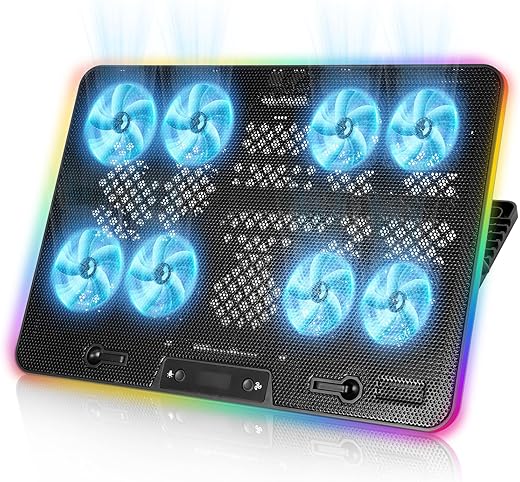
Laptop Cooling Pad, 8-Fan Adjustable Laptop Cooler Quiet with RGB LED Display, 7-Level Height Stand for 12-17 Inch…
- 8 Powerful Fans for Efficient Cooling: This laptop cooling pad is equipped with 8 high-speed fans, ensuring optimal heat dissipation…
- Simple to Operate and Use: First, stand up the bracket and open the front baffle and then adjust to the…
- Adjustable Stand for 12-17" Laptops: Designed with an adjustable height stand, this laptop cooler accommodates laptops ranging from 12 to…
- USB-Powered with LED Speed Control: Powered directly via USB, this gaming cooling pad eliminates the need for additional power sources.…
- RGB Lighting for Stylish Performance: Enhance your setup with RGB ambient lighting, customizable to match your preferences. The lighting adds…

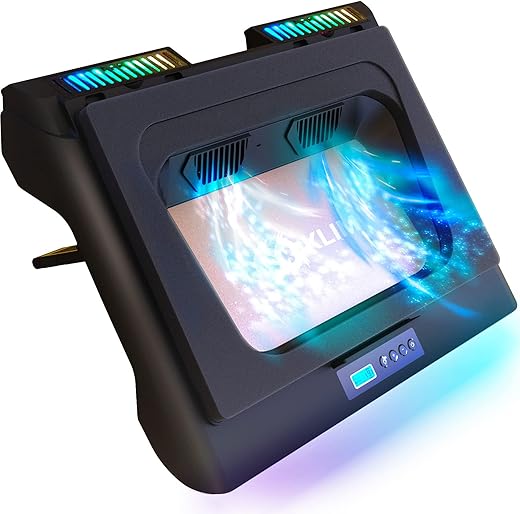
KLIM Everest Laptop Cooling Pad | New | Powerful Turbo-Fan 4300 RPM Laptop Cooler | Sealed Foam for…
- 📈 PROTECT YOUR LAPTOP & MAXIMIZE ITS PERFORMANCE. Climb mountains and reach the best of your laptop performances with the…
- ❄️ ONE OF THE MOST POWERFUL COOLING PAD TO DATE: Unlike traditional cooling pads, the KLIM Everest features two high-powered…
- 🌈 EXTRA USB PORT + BRIGHT RGB LIGHTING: Press the + and - buttons to select the 6 fan speeds.…
- 🛡️ DURABLE + EXTENDED WARRANTY: Protect your precious laptop today so it runs perfectly tomorrow! To keep this promise, we've…
- ⚠️ IMPORTANT INFORMATION ABOUT COMPATIBILITY: This laptop cooling fan is compatible with laptops between 14 and 17.3 inches only. Smaller…